Architecture & Planning Archive Solutions · SHENGMEI
Mobile Compactor Shelving for Architecture Firms: 7 Strategies to Organize Multi-Project Archives
Mobile compactor shelving is now the default archive system for overseas architecture firms, engineering consultancies and government planning agencies running dozens to hundreds of building projects in parallel. Each project generates A0/A1 construction blueprints, revised drawing sets, approval files, tender documents and completion records — and in most jurisdictions paper archives must be kept for decades for renovations, liability tracing and compliance audits.
Traditional cabinets and open shelving rarely survive that mix: oversized drawings, high-frequency retrieval of live projects and long-term sealing of completed files never fit the same furniture.
Mobile compactor shelving resolves the conflict. High-density storage plus physical zoning, access control and drawing-specific accessories keep live, completed and historical archives clearly separated — and make blueprint retrieval fast and long-term storage safe. This guide is written for overseas distributors, architecture firms, contractors and government procurement teams, and follows EN 15095 archive storage safety standards.
1. Pain Points Mobile Compactor Shelving Solves for Architecture Firms
Independent design firms and government planning departments face the same storage pressure from different angles:
- Mixed project statuses — live, just-completed and decades-old projects coexist; live drawings are retrieved daily while historical files are almost never touched yet must be legally retained. Mixed storage destroys retrieval efficiency.
- Mixed archive sizes — A4 contracts and letters share space with oversized A0/A1 blueprints. Ordinary cabinets cannot accommodate both, and folded drawings suffer irreversible damage.
- Continuous archive growth — new projects land every quarter and archive rooms saturate quickly; off-site rented storage is inconvenient for retrieval and rarely meets dust and humidity standards for drawings.
- Shared archive rooms — different design teams pull files for their own projects, so misplacement and version confusion are constant, and each error risks rework.
- Compliance pressure — local regulations set mandatory retention periods for construction archives. Open shelving fades blueprints and ages paper, creating audit risk.

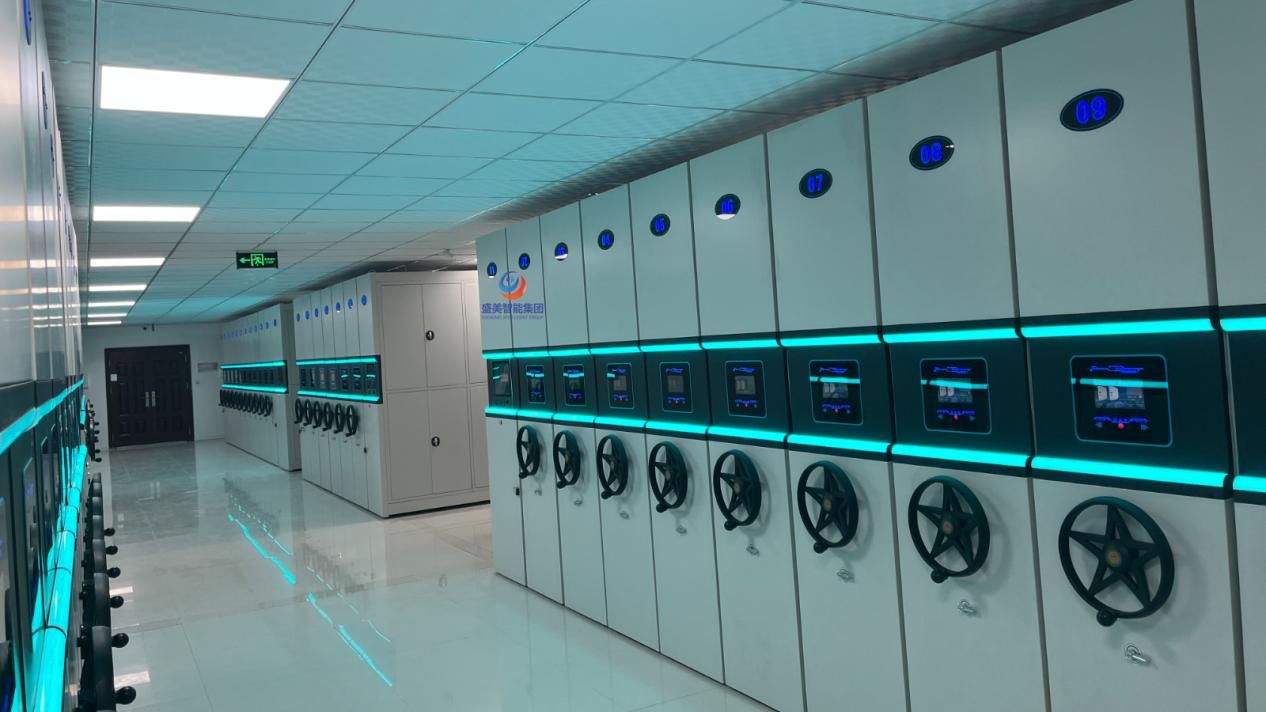
Smart mobile compactor shelving bays with touchscreens and numbered ranges in an overseas archive room
2. Architecture Project Archive Types and Hard Storage Requirements
What architecture firms actually store
- Large-format drawings: A0/A1/A2 construction blueprints, master plans and every revision set
- Commercial contracts: design commissions, tender files and supplemental agreements
- Approval records: planning submissions, government replies and expert review opinions
- Full completion sets: acceptance reports, site records, as-built drawings and settlement files
- Project correspondence: client letters, technical memos and site visit records
Hard requirements for the archive room
3. Pre-Installation Site Survey for Firm and Agency Archive Rooms
Most firm archive rooms are converted offices and agency repositories are legacy stockrooms — so four checks come before any deployment:
4. Zoning Strategy: Multi-Project Archives on Mobile Compactor Shelving
1. Three array zones
- Live project zone (high frequency) — near the entrance; drawings sit at the 80–160 cm golden handling height; aisles 90–100 cm so several designers retrieve at once.
- Recent completion zone (medium frequency) — projects finished within 1–3 years still see warranty retrievals; balances capacity and access.
- Historical archive zone (low frequency) — at the back of the room for long-term legal retention; aisles meet the 80 cm fire-code minimum and capacity is maximized.
2. Subdividing inside an array
Divide shelf ranges by project number or client name and label them clearly; keep one project's drawings, contracts and completion files together. A0/A1 drawings go into blueprint drawers; A4 files into archive boxes.
3. What smart mobile compactor shelving adds
Connect to archive management software: issue team accounts so each group can only open its own project ranges, type a project number to locate the right bay instantly, and cut search time sharply.
5. Manual vs Smart Mobile Compactor Shelving for Building Archives
Storage solution comparison
| Storage option | Space utilization | Drawing compatibility | Access control | Best for | Cost |
|---|---|---|---|---|---|
| Open fixed shelving | 35–45% | Poor — large drawings bend | None, no access logs | Small, short-term, temp drawing piles | Low |
| Traditional fixed cabinets | 40–50% | Poor — cannot take A0/A1 | Individual locks only | A4 contracts and letters only | Low |
| Manual mobile compactor shelving | 70–78% | Excellent — blueprint drawers / hanging kits | Physical zoning + room door access | Small and mid-size firms, medium retrieval frequency | Low–mid |
| Smart mobile compactor shelving | 72–82% | Excellent — blueprint drawers / hanging kits | Tiered accounts + access logs | Large firms, planning agencies, classified archives | Mid |
Note: space utilization = share of usable file-storage volume inside the same room footprint.
Option A · Smart mobile compactor shelving — large firms and planning agencies

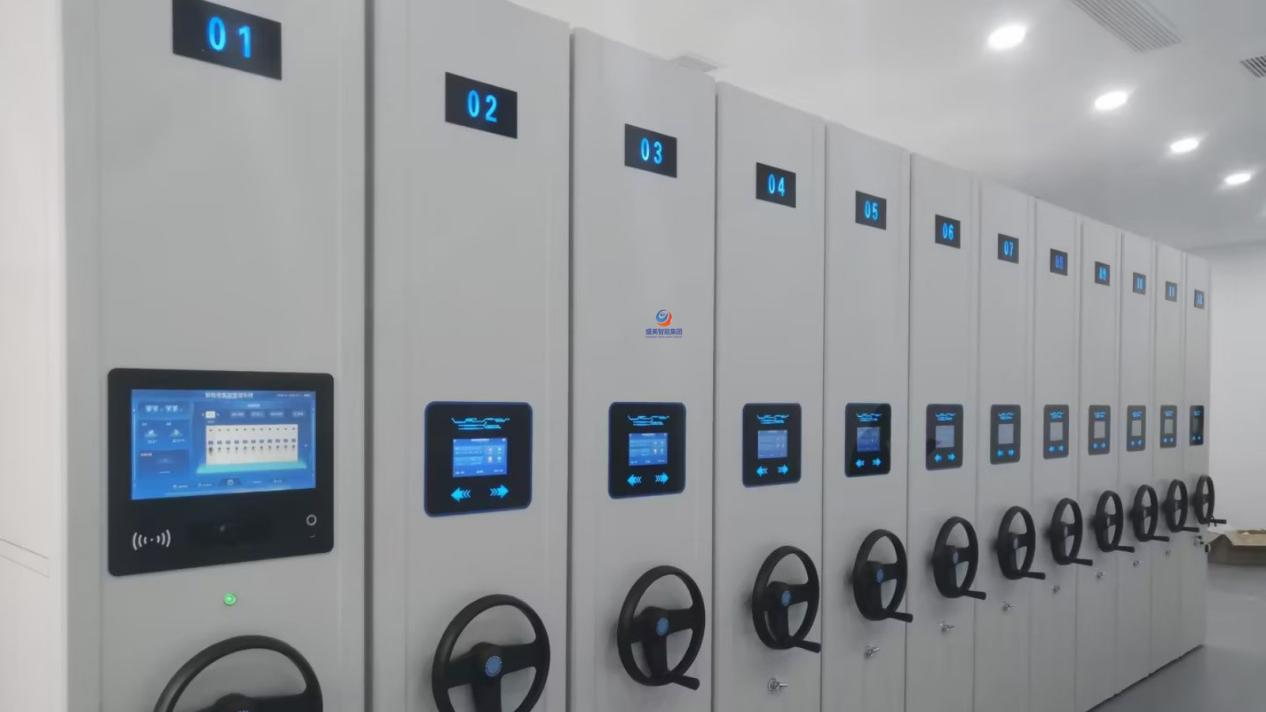
Touchscreen control panels and lit aisles on a smart mobile compactor shelving installation
Fits: many concurrent projects, shared archive rooms, classified planning files, and any need for permissions with audit logs.
One-touch electric opening with project-number locating; tiered accounts restrict each team to its own ranges; operation logs export for audits; an emergency hand-crank keeps drawings reachable during power cuts.
Trade-off: needs power and network; higher purchase and maintenance cost.
Option B · Manual mobile compactor shelving — small and mid-size firms

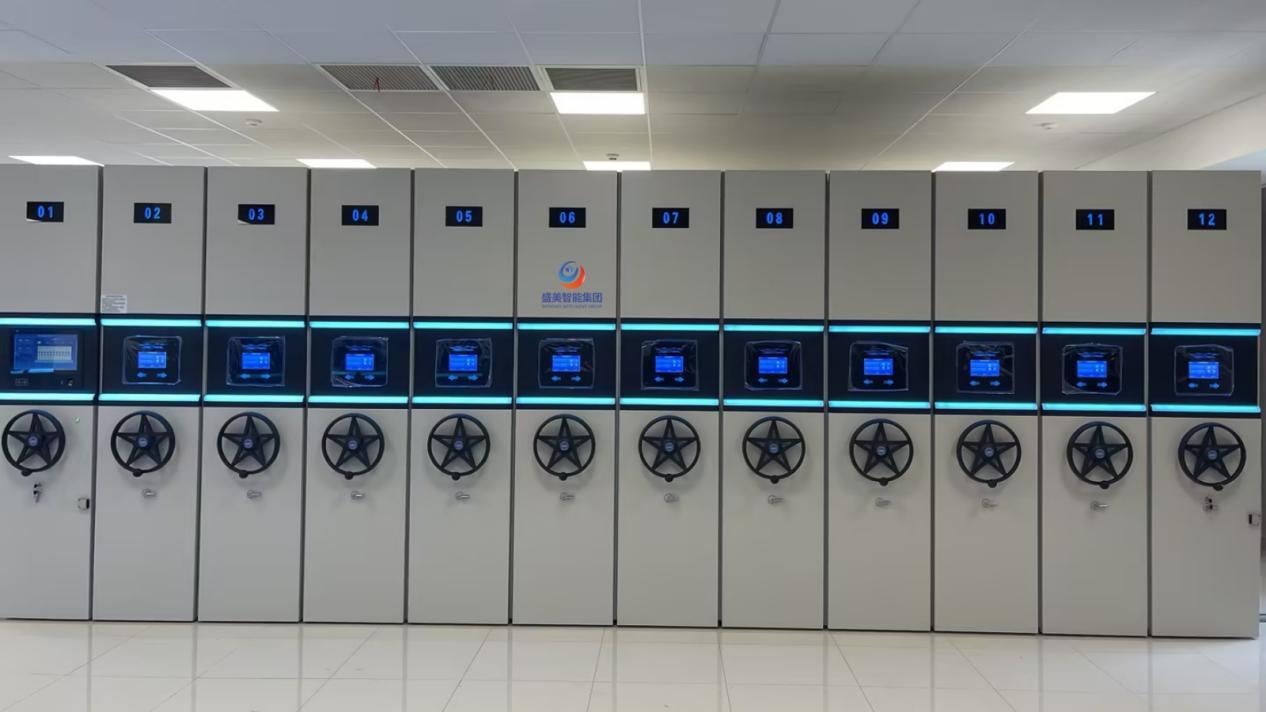
Numbered bays on a manual mobile compactor shelving range with hand-wheel cranks
Fits: fewer projects, tighter budgets, or rooms where cabling is impossible. Physical zoning, label indexes and room-door access do the controlling.
Trade-off: no account permissions, no operation logs, and heavier hand-cranking when retrieval is frequent.
Common hardware baseline
- Uprights ≥1.2 mm, shelves ≥0.8 mm, tracks ≥3.0 mm thickened cold-rolled steel
- Anti-tilt hooks and limit locks standard; smart models add infrared anti-pinch; EN 15095 safety standard
- EPDM gaskets seal against dust and light to protect blueprints
- Optional A0/A1 blueprint drawers and hanging modules
6. Hardware for Oversized Drawings and Blueprints
Building archives differ from ordinary office files — A0/A1 drawings drive the selection, and ordinary shelves alone will not do:
7. Daily Management Best Practices for Multi-Project Archives
- Run a zoning flow system: when a project completes, move the whole file set from the live zone to the completion zone, then to historical storage at term — never mix across zones.
- Keep a dual index: physical labels on bays plus a spreadsheet recording the range location of every project.
- Store by type: large drawings in blueprint drawers, contracts and approvals in archive boxes, one project's materials kept together.
- Control the room environment: ventilate and dehumidify; block direct sunlight to protect paper drawings.
- Maintain smart systems: back up access logs regularly and train staff on the emergency hand-crank so drawings stay reachable in outages.
- Audit quarterly: reconcile files every quarter to catch losses and misplacement early.
8. Frequently Asked Questions
For multi-project architecture archives, is manual or smart mobile compactor shelving the better fit?
If live project drawings are retrieved frequently and several teams share the room, choose smart mobile compactor shelving first. If you mostly seal completed drawings, retrieval is infrequent and budget is tight, manual mobile compactor shelving with disciplined physical zoning and labels works well.
What special file formats do architecture project archives include, and what should storage watch for?
A0/A1 construction drawings, approval files, contracts, change orders and project correspondence. Large drawings need dedicated blueprint drawers or shelves, plus dust and humidity protection to prevent creasing and fading across the statutory retention period.
How does mobile compactor shelving deliver efficient multi-project zoning?
Zone arrays by project stage — live, recently completed, historical. Inside each array, subdivide shelves by project number or client name with clear labels. Smart systems add project-level permissions so each team only opens its own ranges.
Can A0 blueprints be folded into ordinary archive boxes?
Not recommended. Repeated folding leaves permanent creases, and creased paper cracks during long storage. Use blueprint drawers or hanging modules to keep large drawings flat.
Conclusion
Overseas architecture firms, contractors and planning agencies manage too many projects for any single cabinet row — and ordinary furniture cannot deliver project isolation, oversized-drawing protection, high-density capacity and fast retrieval at once.
Mobile compactor shelving zones by project lifecycle to separate live, completed and historical archives; blueprint drawers and adjustable shelves accommodate A0/A1 sheets next to A4 files; large institutions add smart accounts and access logs for classified audit needs, while smaller firms get orderly archives from manual systems plus zoning labels.
Do not choose on capacity alone — oversized-drawing accessories decide whether blueprints survive. Pair the system with temperature and humidity control, follow EN 15095, and construction project archives stay compliant for decades of renovation, liability tracing and audit needs.
Disclaimer: this article is general procurement guidance for overseas architecture firms, contractors and planning agencies. Always follow local construction-archive regulations and the EN 15095 archive storage safety standard.
Archive Room Project Consultation
Need archive-room layouts for architecture firms or planning agencies, or technical parameter templates for overseas tenders? SHENGMEI provides technical documentation for overseas distributors and engineering procurement.
📩 Business email: info@shengmeicabinet.com
💬 Overseas projects WhatsApp: Kerwin +86 189 3280 1260
Email subject format: Architecture archive consultation + room area + country/region