Mobile RFID Inventory Cart and Smart Compactor Shelving for Large Archive Repositories
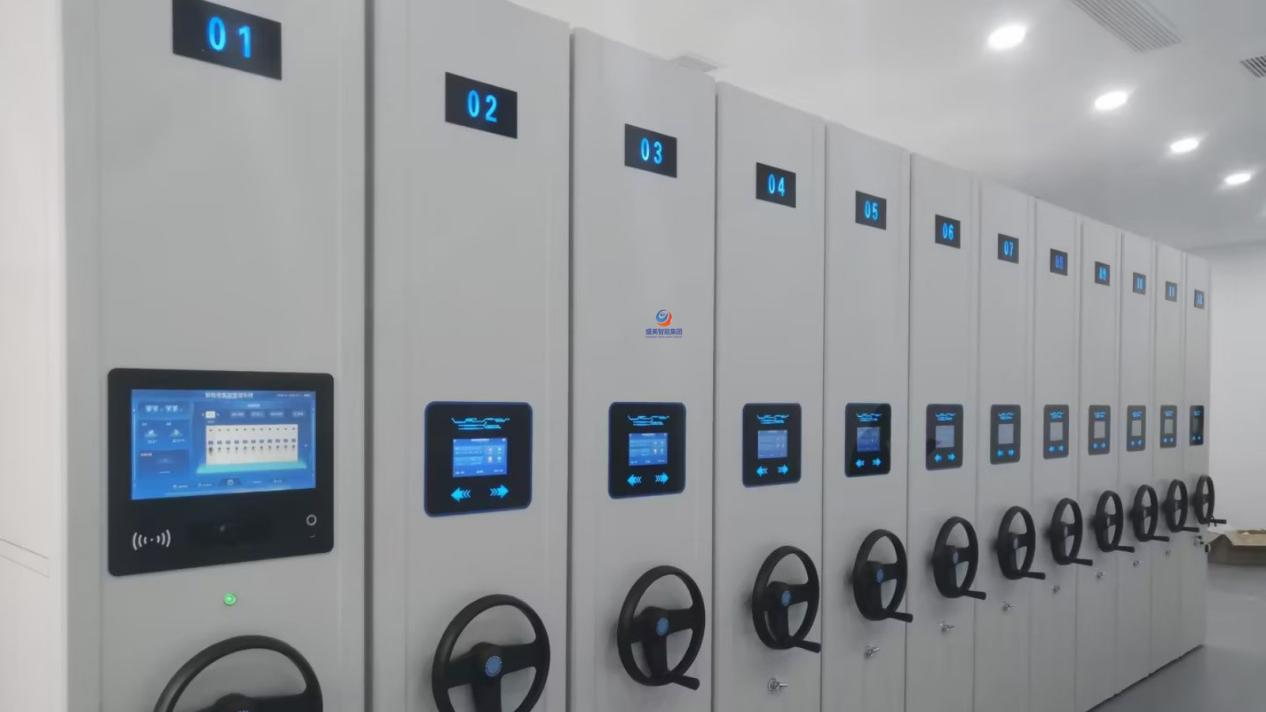
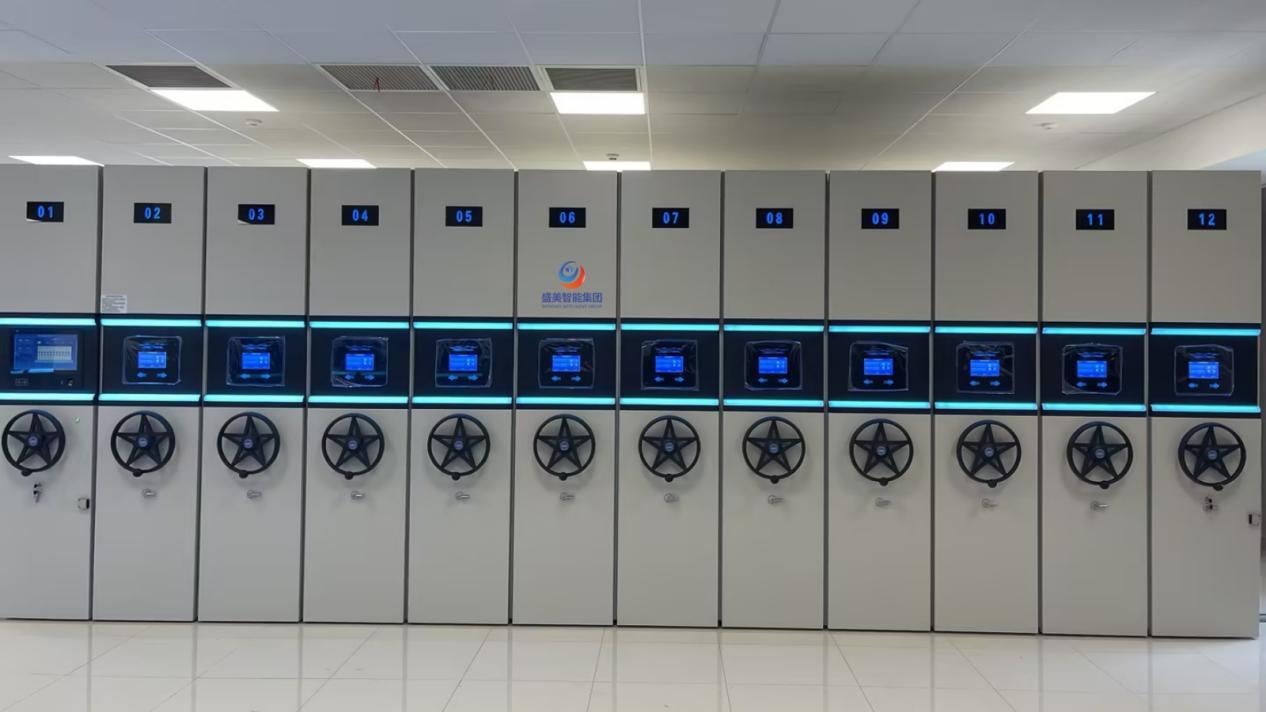
A large archive repository can hold tens of thousands of volumes. Counting them by hand runs for weeks, misses items and leaves the ledger out of step with the shelves. This is how an SMZN‑PDC mobile RFID inventory cart and a smart compactor shelving system read, move and update in the same pass.
Introduction
A large archive repository is not a filing cabinet scaled up. Past a certain volume of holdings, finding out what is actually on the shelves stops being housekeeping and becomes an operating cost. Manual counting runs for weeks, disrupts everyday retrieval and still ends with a ledger that disagrees with the room. The mobile RFID inventory cart exists to close that gap, and it closes it best when it is not working alone.
The SMZN‑PDC mobile RFID inventory cart carries an Impinj R2000 UHF reader, reads tags in batches rather than one at a time, and links over the site LAN to the Smart Compactor Shelving control system. That link is the whole point: bay control, UHF‑RFID batch reading, file locating and ledger updating stop being four separate jobs and become one pass down the aisle. For the operator, the heavy part of a stocktake disappears. For the archive, the ledger stays true. Where the underlying retrieval problem is the bottleneck rather than the counting, our breakdown of how smart compactor shelving solves slow mass archive retrieval is the better starting point.

1. Why a Large Archive Repository Still Relies on Manual Counting
The same five problems show up in almost every large repository that is still counting by hand. They are also the five reasons a mobile RFID inventory cart project gets approved. Tap or click any item to open it.
A large archive repository can hold tens of thousands of volumes. Clearing a full physical count by hand takes a large team and runs for weeks, and the stocktake itself blocks ordinary borrowing and retrieval while it is under way — the room stops serving its users in order to be counted.
Files come back from loan and land in the wrong bay or the wrong shelf. With a paper register alone there is no practical way to find the misplacement, and the gap between the physical archive and the electronic ledger widens every month until the two no longer agree.
A conventional smart compactor shelving system opens and closes the bays and does nothing else. A conventional handheld reader counts and knows nothing about the bays. The two cannot see each other, so a completed count has to be re-keyed into the shelving ledger by hand — duplicated work, and a fresh source of error on every cycle.
A steel bay reflects and scatters UHF signals. Ordinary RFID hardware drops tags, reads the wrong tag or misses a whole shelf in that environment, which is exactly the environment a large archive repository presents. Batch reading across a densely packed steel bay is a hardware problem before it is a software problem.
Checking files out and back in is where losses actually happen, and it is the step with the weakest tooling. Without a fast batch-verification method at the shelf, a missing volume or an unauthorised withdrawal is only discovered at the next full stocktake, which may be a year away.
2. The Mobile RFID Inventory Cart: SMZN‑PDC Hardware Foundation
The SMZN‑PDC mobile RFID inventory cart is specified for one environment: the steel aisles of a large archive repository. Its hardware list is short and it is chosen for that aisle rather than for a warehouse.
2.1 Core hardware the cart brings to the aisle
- An Impinj R2000 reader following ISO 18000‑6C (EPC C1 G2), with an anti-metal, anti-interference front end, EPC matching and duplicate-tag filtering. Nominal read accuracy is quoted at 99.8%; real performance depends on the tags and the steel around them, which is why the cart is tuned on site.
- Dual antenna modes — a desktop reader antenna and a handheld antenna — covering batch counting along a channel and single-file verification at the shelf.
- A 15.6” rising capacitive touchscreen. Fold the screen down and it releases a flat working surface for sorting and tidying files on the spot. An RK3568 industrial controller runs local edge processing, and a lithium iron phosphate battery gives over 8 hours of runtime for a full working day.
- Ethernet to the site LAN, giving two-way data exchange with the smart compactor shelving control system rather than a one-way upload.
2.2 How the mobile RFID inventory cart and the shelving system talk to each other
Every physical file carries a UHF‑RFID label written with its file number, classification, retention period and intended shelf position. The Smart Compactor Shelving system holds the bay and shelf codes for every column and every level. The mobile RFID inventory cart bridges the two over the LAN: while it reads labels, it can also issue bay commands to the shelving system, and it writes tag data and file-position data back. Identification, bay movement and ledger update therefore happen as one linked action instead of three separate ones. If you need the wider system context first, what a smart compactor shelving system actually is sets out the architecture this cart plugs into.

- Reader: Impinj R2000, ISO 18000‑6C (EPC C1 G2)
- Read accuracy: 99.8% nominal, site-dependent
- Duplicate handling: EPC matching and duplicate-tag filtering
- Antennas: desktop batch antenna + handheld spot antenna
- Antenna power: 0–33 dBm, adjustable in software
- Terminal: 15.6” rising capacitive touchscreen
- Controller: RK3568 industrial, local edge processing
- Battery: lithium iron phosphate, 8 h+ runtime
- Charging: under 6 hours, full working-day duty
- Network: Ethernet to the site LAN
- Shelving link: two-way with Smart Compactor Shelving
- Footprint: 640 mm × 540 mm, 1085 mm tall
3. Mobile RFID Inventory Cart and Smart Compactor Shelving: The Four-Stage Workflow
A full stocktake on this configuration runs as four stages. Each card below has two sides — hover over it, tap it, or open the whole set with the button, and the working detail is on the reverse.
Baseline configuration and file initialisation
Before a single count, the tags, the shelf codes and the cart have to agree with each other.
View the setup list- Fit every file with a compliant UHF‑RFID label and capture its data into a complete electronic ledger.
- Enter column and level codes for every physical bay in the Smart Compactor Shelving system, binding each file to its intended position.
- Commission the mobile RFID inventory cart: configure Ethernet and the LAN link, then close the interface between cart and shelving management system.
- Test read and write power, tag recognition, command dispatch and data return; tune antenna power across 0–33 dBm against the steel bay to suppress reflections.
- Create operator accounts and tiered permissions, limiting each role to the zones it is cleared for.
Coordinated stocktaking
The cart opens the aisle, reads the whole bay and reconciles it against the ledger while it moves.
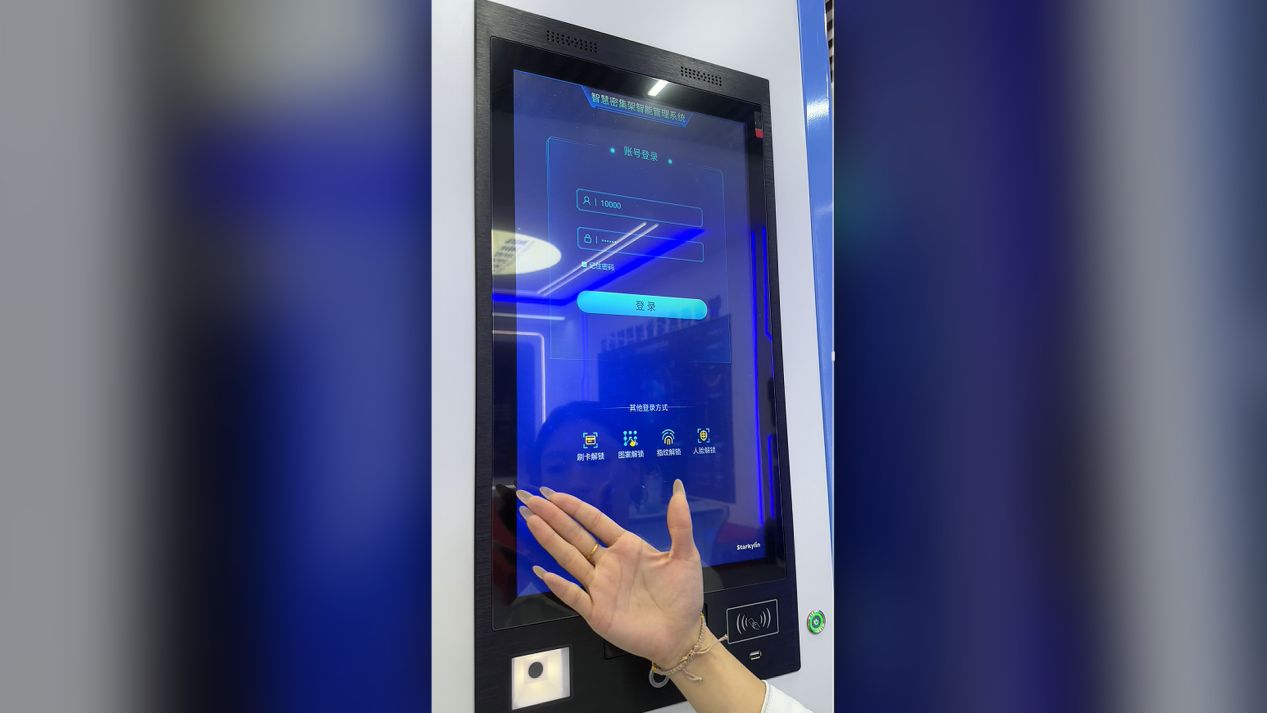
View the count sequence- The operator signs in on the cart’s 15.6” terminal, creates a task and selects the range to be counted.
- The system pulls the ledger, matches shelf codes and issues a command that opens the corresponding aisle automatically.
- The cart is pushed into the aisle and the desktop antenna reads every label on the level in a batch; duplicate EPCs are filtered automatically.
- The terminal reconciles what was read against the ledger: present files are marked in stock, ledger records with no tag are marked missing, and tags with no ledger record are flagged as misfiled or newly added.
- Counted data syncs to the shelving back office in real time and progress is displayed live; when a group is finished the system closes it and opens the next aisle.
- At the end of the range the system outputs a report listing in-stock, missing and misfiled files, ready to export.
Coordinated retrieval and loan handling
Ask for a file number and the aisle opens itself; the check-out and check-in are written straight back.
View the retrieval steps- Enter the target file number or keyword on the cart terminal.
- The system searches the ledger, resolves the bound shelf position and instructs the smart compactor shelving system to open that aisle automatically.
- The operator enters the aisle and verifies the file with either the desktop antenna or the handheld antenna.
- On loan, the cart registers the check-out and updates the shelving ledger at the same moment.
- On return, the file label is scanned, the shelf position confirmed and the check-in recorded.
Task close-out and data archiving
Reports, corrections and the full operating log are closed out and archived as one record.
View the close-out list- Save the task; the system retains a complete operating log automatically.
- Management reviews the report and re-checks missing and misfiled volumes by hand; with the screen folded down, the on-board bench is used to sort and tidy files on site.
- Once physical positions are corrected, the shelving positions in the system are updated to match.
- Close the aisles and archive the complete dataset for the cycle.
Which of those stages carries the most value depends on the site. Where the pain is annual counting, stage two does the work. Where the pain is audit turnaround and repeated retrieval, stages three and four do. A cart deployed only as far as stage two still returns its cost; the return simply climbs as the remaining stages are switched on.
4. Core Modules the Mobile RFID Inventory Cart Adds to the Shelving
Six modules do the actual work. They are the reason a mobile RFID inventory cart is a system component rather than a trolley with a reader bolted to it.
Linked bay control
Open and close the shelves from the cart terminal instead of walking to the bay panel.
View the detail- Commands are issued remotely from the touchscreen: no trip to the bay panel, no second operator.
- The cart, not the operator, decides which aisle opens next, which is what makes a continuous stocktake possible.
UHF‑RFID batch reading
Read a whole packed shelf in one pass, with duplicate tags filtered out.
View the detail- Built on the Impinj R2000 reader unit, reading densely packed shelves in batches rather than one file at a time.
- EPC duplicate filtering is handled on board, so a repeated read does not inflate the count.
- Two modes are available: desktop antenna for a channel-wide batch, handheld antenna for a single file.
File locating and misfile warning
A file in the wrong place is announced at the shelf, not at the next audit.
View the detail- Every read tag is compared against its ledger shelf position automatically.
- A misplaced file raises a live warning on the terminal, with the physical bay position attached.
- Because the alert arrives while the operator is still standing at that aisle, the correction takes seconds.
Local edge computing and live sync
The count keeps running when the network does not, and catches up by itself afterwards.
View the detail- An on-board industrial controller processes tag data locally rather than streaming everything to a server.
- With the LAN up, counted data returns to the shelving back office in real time.
- If the network drops, the cart caches locally and synchronises automatically once the link is restored — a manual count cannot do this.
Operation log retention
Bay movements, tasks, loans and alarms all leave a record that can be exported.
View the detail- Bay open and close events, stocktake tasks, file check-out and check-in, and exception alarms are all recorded in full.
- Logs are encrypted at rest, can be exported in multiple formats, and are held in a form an archive audit can accept.
On-board sorting bench
Fold the screen down and the cart becomes a working surface in the aisle.
View the detail- The 15.6” screen folds down to release a flat bench on the cart itself.
- Files can be sorted, bound and tidied at the aisle rather than carried to a separate table.
- It removes the second trip per shelf that slows a conventional stocktake down.
5. Stocktaking Modes Compared: Manual, Handheld Reader, Mobile RFID Inventory Cart
The table sets the three practical options side by side on the points a large archive repository is actually judged on. One column is a manual count, one is a conventional handheld RFID reader, and one is a mobile RFID inventory cart working with a smart compactor shelving system.
| Comparison item | Manual counting | Handheld RFID reader | Mobile RFID inventory cart + smart compactor shelving |
|---|---|---|---|
| File identification | Volume-by-volume reading and entry | Single-tag scan, one file at a time | Channel-wide UHF‑RFID batch read, plus handheld spot checks |
| Bay operation | Opened and closed by hand | Opened and closed by hand | Remote automatic bay control from the cart terminal |
| Metal interference | Not applicable | Limited | Anti-metal reader with antenna power tuned to the steel bay |
| Data sync | Manual entry, error-prone | Uploaded by hand after the scan | Live sync to the shelving system, local cache when offline |
| Misfile detection | Very hard to detect | Possible, but slow to locate | Live warning tied to the physical bay position |
| Counting cycle | Very long | Moderate | Materially compressed |
| On-site handling | Needs a separate table | No working surface | On-board bench released when the screen folds down |
| Labour input | Several operators | One operator, still handling bays by hand | One operator for both counting and bay control |
For a site that retrieves files at high frequency as well as counting them, the same argument is made from the retrieval side in this note on mobile compactor shelving for compliance records and high-frequency audit retrieval.
6. Six Points That Decide Whether the Project Lands Cleanly
A mobile RFID inventory cart is a system install, not a delivery. These are the six items that decide whether it works on day one or needs a second visit.
Steel bays reflect UHF signals. Cart antenna power is adjustable in software from 0 to 33 dBm, and it has to be measured on site against the actual bay geometry. Tuning read distance to the room is the single most effective way to reduce missed reads.
The cart coordinates with the shelving over the LAN, so coverage has to reach the far aisles of a large repository. If the link does drop, the cart caches data locally and synchronises to the back office automatically once it is restored.
Choose anti-metal UHF‑RFID labels that suit the temperature and humidity of the room and the steel they will sit against, and keep them to ISO 18000‑6C so long-term read and write stability holds up.
The cart runs over 8 hours on a charge, which covers a full working day. Charging takes under 6 hours. Keep to the maintenance cycle and watch the charge indicator so a stocktake is not interrupted halfway through an aisle.
Configure tiered accounts so each role reaches only the zones it is cleared for. On a repository holding restricted material this is a security control, not an administrative preference.
Check the cart antenna, battery and touchscreen on a set cycle, and calibrate the smart compactor shelving position sensors on the same schedule. The two halves of the system stay in step only if both are maintained. Our smart compactor shelving upgrade and implementation guide sets out the sequence for a staged rollout.
7. Overseas Buyer FAQ
Yes, subject to the communication protocol of the existing shelving control system. An interface assessment is carried out before the project starts, and equipment already in service can be brought into the link through a system upgrade.
A steel bay does interfere with UHF signals, which is why the mobile RFID inventory cart carries an anti-metal reader and software-adjustable antenna power. Tuning the parameters on site is what reduces missed reads; the 99.8% figure is a nominal rating and real performance is site-dependent.
Yes. The cart runs local edge computing and caches data on board, so stocktaking continues normally while the link is down. When the network returns, cached data synchronises to the shelving back office in a batch.
The lithium iron phosphate battery gives over 8 hours of runtime, which covers continuous daytime work in an archive room. Recharging takes under 6 hours and is normally done after the shift.
Yes. Every operating record is retained and reports export in multiple formats, so the output can be used as supporting material for an archive management audit.
Yes. Bay linking can be switched off and the unit used as a stand-alone RFID counting device. The handheld antenna mode can also be selected for a small local verification pass on its own.
Conclusion
A large archive repository holding tens of thousands of volumes cannot be run on a paper count. The cycle is too long, the ledger drifts away from the shelves, and every discrepancy surfaces too late to be corrected cheaply. The SMZN‑PDC mobile RFID inventory cart is specified around the hard case — reading UHF tags inside a steel bay — and the value is delivered by the link to the smart compactor shelving system rather than by the cart alone.
Run together, the mobile RFID inventory cart and the smart compactor shelving system close the whole chain: identify the file, move the bay, update the ledger. A stocktake that used to take weeks finishes in a pass, a requested file opens its own aisle, and a return is verified at the shelf instead of being reconciled months later. The cart works as part of that system or as a stand-alone unit — which means a repository can start where the pain is worst and expand from there.
For an archive digitisation project built on a mobile RFID inventory cart and smart compactor shelving, Shengmei Cabinet supplies the hardware specification, the shelving-to-cart interface scheme, English technical documentation and tender support — sized to the repository, not to a catalogue.
Email subject format: Mobile RFID Inventory Cart + Smart Compactor Shelving Scheme + Project Requirements
Source: project requirements model for a large archive repository combining an SMZN‑PDC mobile RFID inventory cart with a Smart Compactor Shelving system, covering the full identify–move–update workflow.